
Introduction
Build AI tools without coding is no longer a futuristic dream; it’s a tactical advantage available to savvy leaders today. I remember chatting with a marketing manager, Sarah, who was drowning in repetitive customer query reports. Her eyes lit up with a mix of skepticism and hope when she whispered, “If only I could build something to sort this mess, but our IT queue is months long.”
That moment cemented it for me: the barrier isn’t ideas, it’s access. This guide is about demolishing that barrier. We’re moving from “what if” to “how to,” empowering you to build AI tools without coding and transform your company’s operations from the inside out
The No-Code Revolution: Why It’s Your Company’s Secret Weapon
Gone are the days when AI was locked in the R&D lab. The rise of intuitive platforms means that the person who understands the problem best—the sales lead, the ops manager, the customer service head—can now craft the solution. This shift is profound. I’ve observed teams regain hundreds of hours by automating workflows they once considered immutable facts of business life.
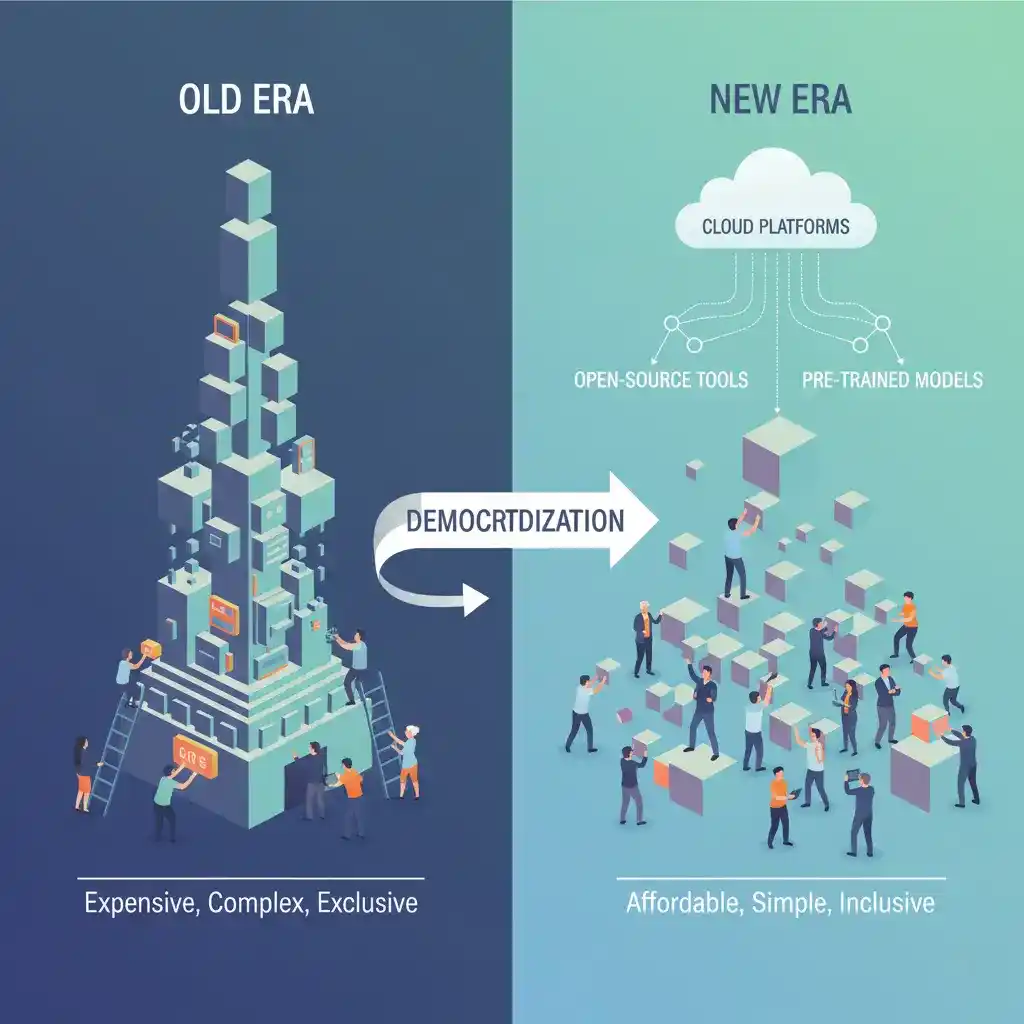
The key is to stop thinking of AI as a monolithic, complex beast and start seeing it as a set of building blocks. Your goal to build AI tools for internal use is now a realistic quarterly objective, not a five-year plan. The revolution isn’t coming; it’s sitting in your browser tab, waiting for your insight to activate it.
Understanding the Building Blocks: What You’re Actually Creating
Before you start, it’s crucial to understand what kinds of tools are within reach. You’re not building sentient robots; you’re constructing intelligent workflows.
- Chatbots and Virtual Assistants: Automate FAQ handling, internal IT support, or new employee onboarding.
- Data Analysis and Prediction Engines: Forecast sales, analyze sentiment in customer feedback, or predict inventory needs.
- Content and Media Processors: Automatically tag and organize documents, generate report summaries, or moderate user-generated content.
- Workflow Automators: Create smart systems that route tasks, prioritize leads, or validate data based on custom rules.
The common thread? Each tool takes a manual, cognitive task and applies consistent, scalable logic to it. This is how you build custom AI solutions that feel like hiring a super-efficient digital intern.
Your Step-by-Step Pathway to Success
Phase 1: Pinpointing the Perfect Problem
The first step to build an effective AI tool is choosing the right battle. Look for the “papercut” problems—small, frequent, and painfully manual. Sit with your team and ask: “What task makes you sigh when you see it on your to-do list?” A great candidate process is rule-based, data-rich, and time-consuming.
For example, sorting support tickets into categories or extracting data from hundreds of incoming PDF invoices. Building an AI tool without code starts with this clear, tangible problem definition. It’s the anchor for everything that follows.
Phase 2: Selecting Your No-Code AI Platform
This is your most critical decision. The market has exploded with platforms designed to let you build AI tools visually. Here’s a comparison to guide you:
Platform A (Like a versatile workshop): Offers deep functionality for complex workflows and data connections. Best for teams that need to integrate with existing databases like Salesforce or HubSpot.
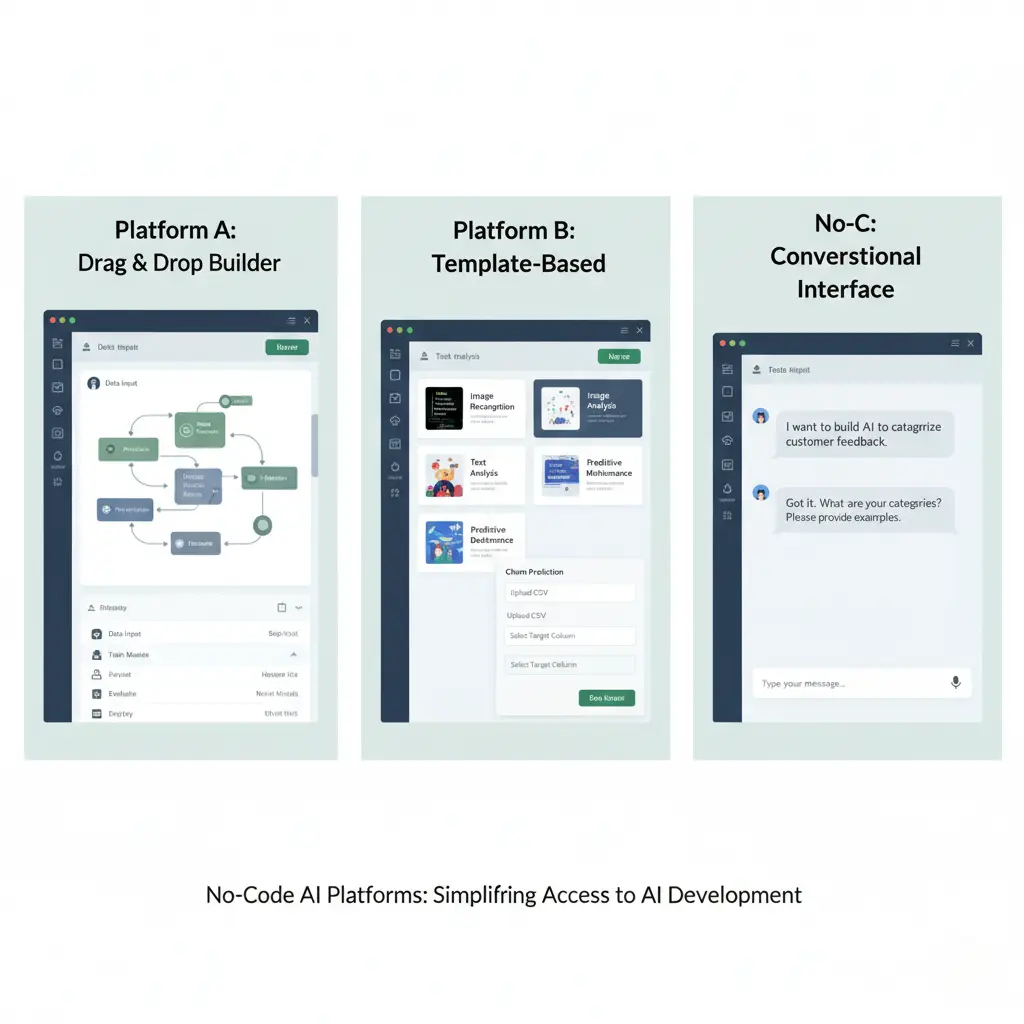
Platform B (Like an intuitive app builder): Focuses on simplicity and beautiful user interfaces. Ideal for creating customer-facing chatbots or internal apps quickly.
Platform C (Specialized tools): Platforms dedicated to one function, like AI-powered form builders or specific marketing analytics.
When you evaluate platforms, use their free trials. Your mission is to build AI tools without coding, not to get a degree in software. The interface should feel intuitive within the first 30 minutes.
Phase 3: Designing and Building Your Tool
Now for the fun part: construction. This is where you build your AI tool’s logic using visual flows. Imagine drawing a flowchart that decides what happens next. If a customer message contains the words “refund” and “not received,” route it to the billing team with a “high priority” tag. You’ll use pre-built AI modules like:
- Natural Language Processing (NLP): To understand text.
- Optical Character Recognition (OCR): To read documents.
- Prediction Models: To forecast outcomes.
You drag, drop, and connect these modules. The platform handles the underlying code. It’s the most empowering feeling to see a functional prototype come together in an afternoon—a process that would traditionally take developers weeks to scope and schedule.
Real-World Applications: Seeing Is Believing
Let’s make this concrete. A retail company used a no-code platform to build an AI tool for inventory management. It analyzed past sales data, current promotions, and even local weather forecasts to predict stock needs for each store, cutting overstock by 18%. Another firm built a chatbot to handle 70% of routine HR questions about leave policies and benefits, freeing the HR team for strategic work.
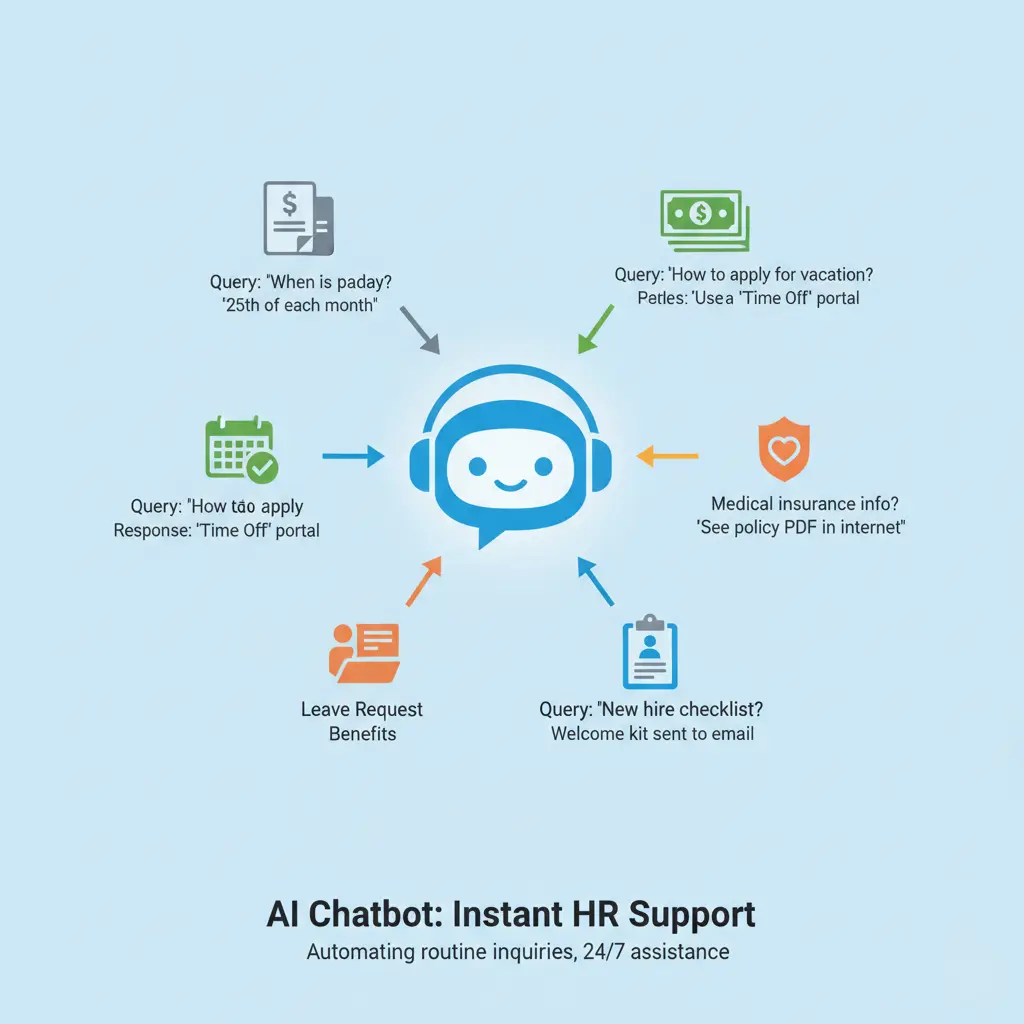
In both cases, the tools were built by the operations and HR leads themselves. They didn’t just build AI tools without coding; they built institutional knowledge directly into their systems.
Crucial Tips for Implementation and Adoption
Start Small, Think Big, Iterate Often
Your first project should be a “minimum viable tool”—something simple that solves one part of the problem. Launch it with a small team, gather feedback, and improve. This agile approach de-risks the process. The aim isn’t perfection out of the gate; it’s learning. Each iteration gets you closer to a robust tool, and this philosophy is core to how you sustainably build AI tools for your company.
Governance and Best Practices
Even without code, governance matters. Who in your team can build and launch tools? Establish light-touch guidelines:
- Data Security: Ensure your tool complies with company data policies (e.g., not feeding customer PII into a public AI model).
- Documentation: Keep a simple record of what each tool does and its decision logic.
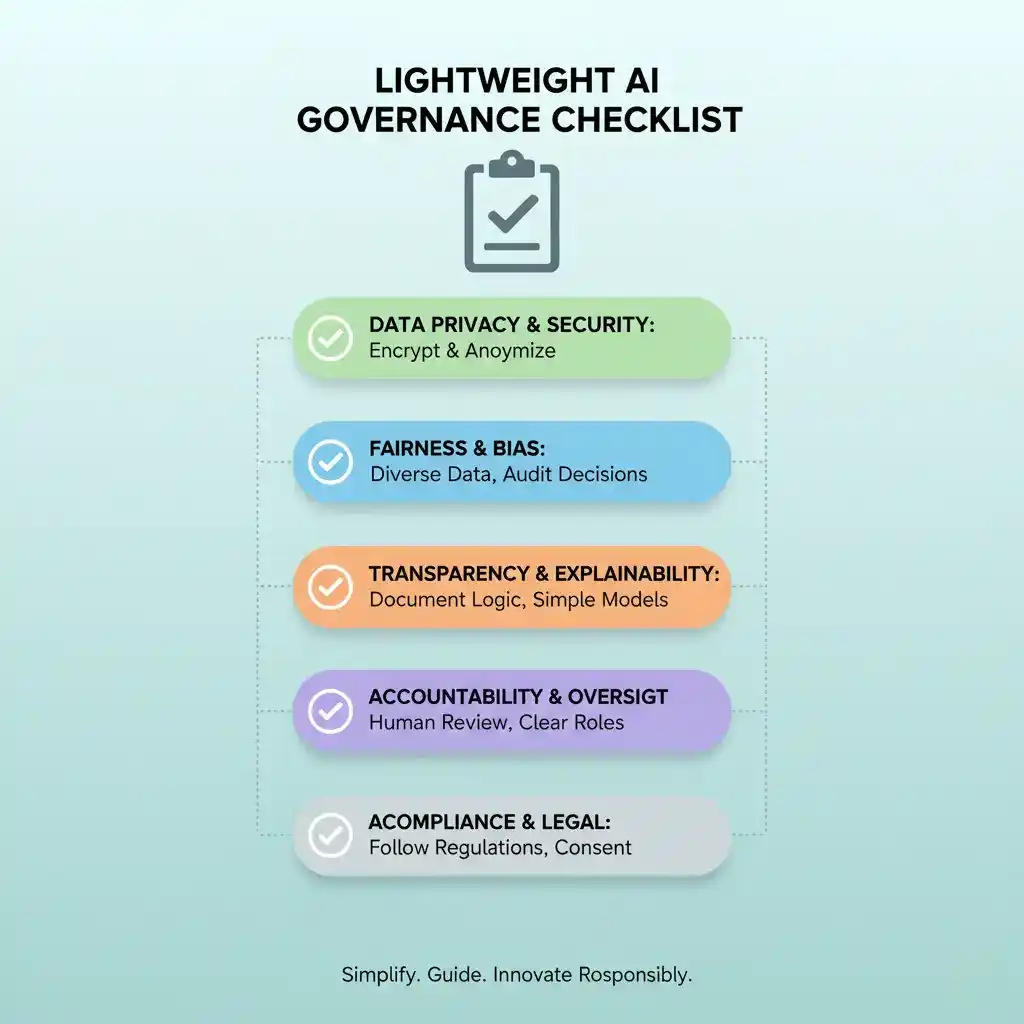
- Ownership: Designate a “tool owner” responsible for its performance and updates.
This framework ensures your initiative to build AI tools without coding scales responsibly.
The Tangible Benefits: More Than Just Time Saved
When you successfully build and deploy AI tools, the ROI extends far beyond hours saved. I’ve seen team morale lift because people are freed from drudgery for higher-value work. Innovation increases because employees start seeing problems as opportunities for automation.
According to a recent report by Forbes, companies that empower non-technical staff with automation tools see faster operational decision-making and improved agility. You’re not just building tools; you’re building a more adaptive, engaged, and forward-thinking company culture.
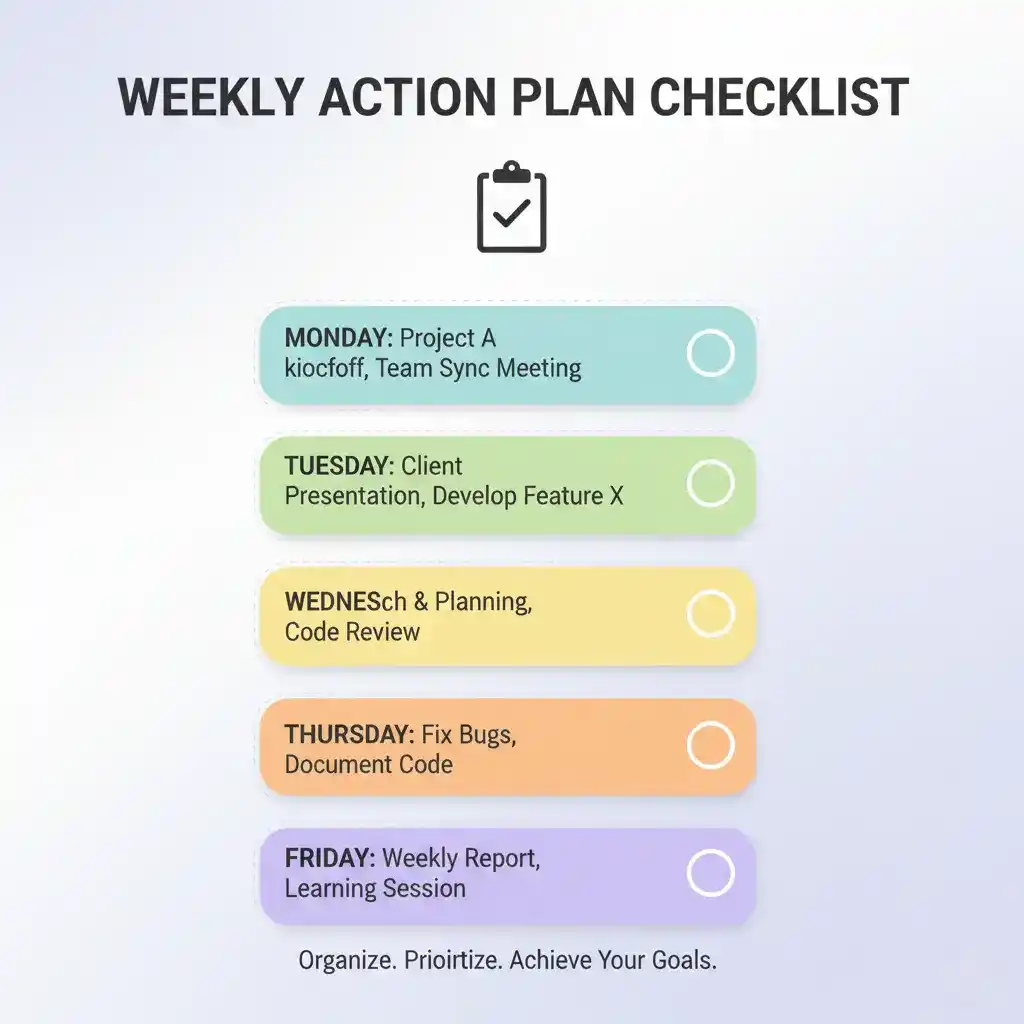
Your Action Plan: A Simple List to Start
Feeling ready? Here is your launchpad list to build AI tools without coding:
- Identify one process this week that is repetitive and rule-based. This is your target to build an AI tool around.
- Bookmark two no-code AI platforms and explore their free tiers or demo videos. Get a feel for the environment where you will build your AI solution.
- Sketch a simple flowchart on paper or a whiteboard of how the ideal tool should work. Where does data enter? What decision happens? Where does it go?
- Schedule a 1-hour “build sprint” with a colleague next week to start constructing the first version in your chosen platform.
Conclusion
The ability to build AI tools without coding is the ultimate empowerment for modern business teams. It turns your unique operational knowledge into a competitive advantage. I honestly wish more leaders realized how accessible this power has become—the gap between idea and implementation has never been smaller. Start with a small, nagging problem.
Apply the visual, logical building blocks available to you. Learn, iterate, and watch as you not only solve that problem but unlock a new way of thinking for your entire team. What’s the first business process you’ll transform with this approach? Share your ideas in the comments below, and when you’re ready to take the next step, explore our detailed guide on selecting the right tech stack for your digital transformation over on the BlogTime homepage. We’re glad you’re here.
FAQs: Build AI Tools Without Coding
Q1: Who can actually build AI tools without coding?
Absolutely anyone with a clear understanding of a business process can learn to build AI tools without coding. The platforms are designed for business analysts, project managers, ops leads, and entrepreneurs—no technical background required.
Q2: Is it really free to build AI tools without coding?
Many leading platforms offer robust free tiers or trials that allow you to build a functional prototype AI tool without coding at no cost. Scaling to enterprise-level volumes may involve a subscription, but the initial creation and testing phase is often very accessible.
Q3: How long does it take to build and deploy a tool?
For a well-defined, specific task, you can often build and launch a minimum viable AI tool without coding in a matter of days or even hours. The speed is one of the greatest advantages compared to traditional software development cycles.
Q4: What are the limitations of this approach?
While you can build incredibly powerful AI tools without coding, there are limits. Extremely complex, novel AI algorithms requiring custom model training from scratch may still need a data scientist. However, for automating decisions based on existing data and common AI functions (like NLP or OCR), no-code is exceptionally powerful.
Q5: What’s the first step I should take today?
The very first step is to identify a single, repetitive task in your workflow. Once you have that, you can immediately explore a platform’s free tutorial to see how you would start to build an AI tool for that specific problem without any coding.