
AI automations for beginners might sound like tech wizardry reserved for Silicon Valley insiders. I get it—I felt the same way not too long ago, staring at lines of code and complex platforms, convinced this wasn’t for people like me. But what if I told you the landscape has completely shifted? The truth is, building and selling valuable AI automations is now more accessible than ever. You don’t need to be a programmer; you just need a clear guide and the willingness to solve a real problem. This is that guide.
Why AI Automations for Beginners is Your Golden Ticket
Let me tell you about my friend, Sarah. She runs a small boutique and was drowning in administrative work—sorting customer inquiries, updating inventory lists, and sending follow-up emails. She was working 60-hour weeks just to keep the lights on. I showed her how to set up a simple AI automation that categorized emails and generated draft responses. It took us one afternoon.
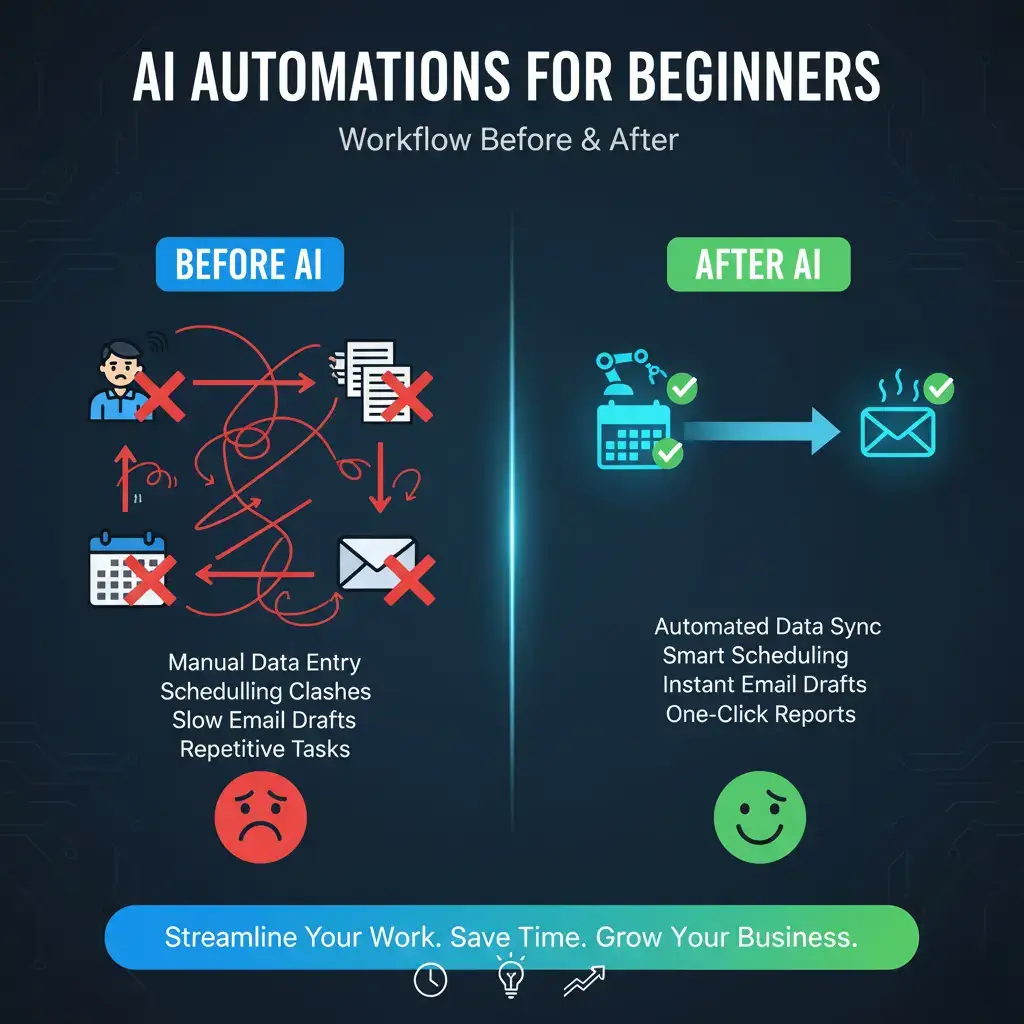
The relief on her face wasn’t just about time saved; it was about getting her life back. This is the power we’re talking about. AI automations for beginners aren’t about creating sentient robots; they’re about crafting digital helpers that do the tedious, repetitive work that bogs businesses down. The market is hungry for these solutions. Every local business owner, freelancer, and content creator you know is likely overwhelmed by tasks that could be automated. You can be the person who solves that.
Finding Your First Automation Idea
Your journey starts not with technology, but with observation. The most successful AI automations for beginners solve a specific, painful, and repetitive problem.
- Listen to Complaints: What do people in online business groups or on social media constantly complain about? Is it scheduling, data entry, lead sorting, or social media posting?
- Look for Manual Copy-Paste: Anywhere information is moved manually from one place to another (e.g., form submissions to spreadsheets, spreadsheets to email) is a prime candidate for AI automations for beginners.
- Identify Information Overload: Tasks like summarizing long articles, transcribing meeting notes, or sorting through customer feedback are perfect for AI intervention.
My first paid project was for a real estate agent. He spent hours every week taking property details from a PDF and reformatting them for different listing sites. I built an automation that extracted the data and populated his templates. He paid me $500 for something that took me 4 hours to build with a no-code tool. That was the lightbulb moment: value is measured in hours saved, not just lines of code.
The Beginner’s Toolkit: No-Code Platforms to the Rescue
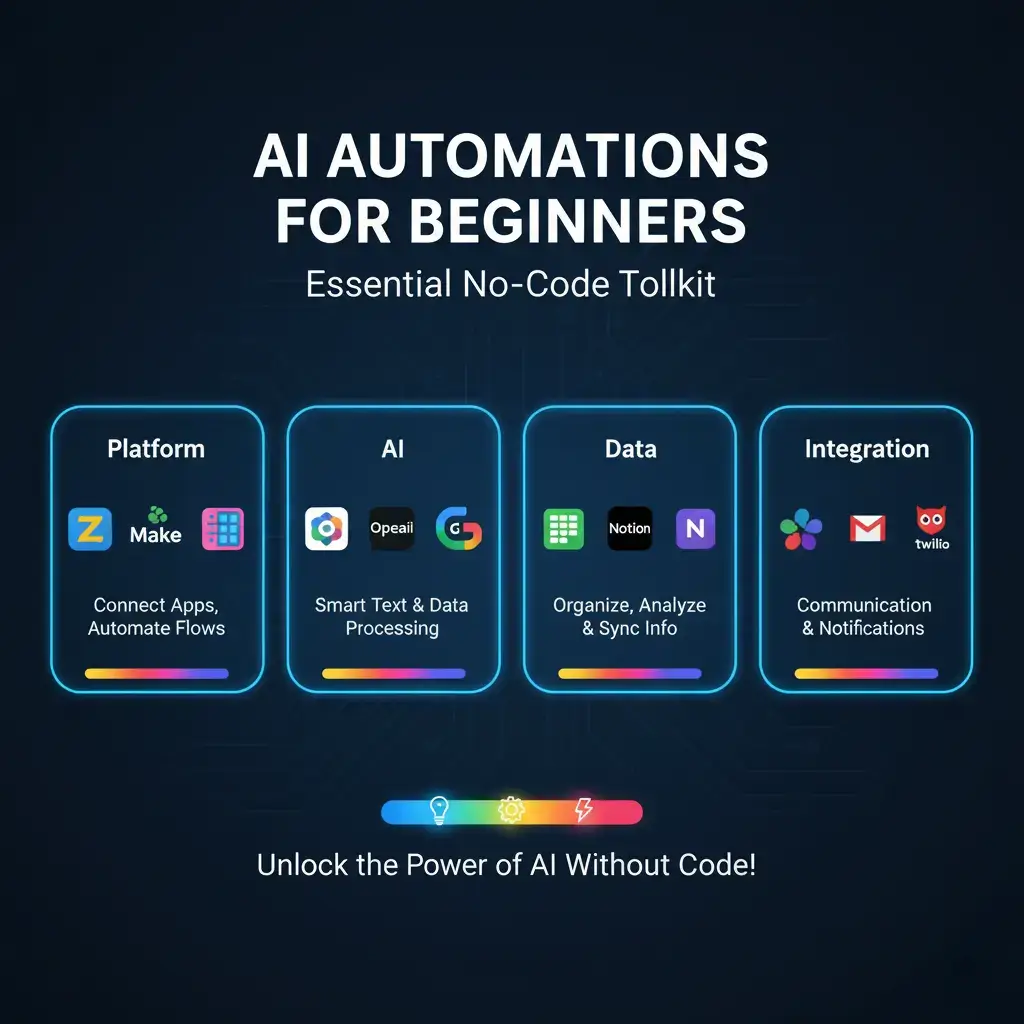
Gone are the days when you needed a computer science degree. Today’s platforms are visual, drag-and-drop, and incredibly powerful. Think of them like digital Lego kits for AI automations for beginners.
Comparing Top Platforms for Newcomers
- Make (formerly Integromat): This is my personal favorite for complexity. Its visual scenario builder lets you see the entire workflow like a flow chart. It’s incredibly powerful for multi-step AI automations for beginners that connect many apps, though it has a slightly steeper initial learning curve.
- Zapier: The king of simplicity and connectivity. If an app has an API, Zapier likely connects to it. It uses a simple “trigger-action” format (When this happens, do that). It’s the fastest way to build your first AI automations for beginners and see immediate results.
- n8n: This is a fantastic open-source option you can self-host. It offers immense power and flexibility for free, making it great for the cost-conscious beginner who doesn’t mind a bit more technical setup.
YouTube Video: Your First Steps to Building & Selling AI Automations: A Complete Starter Guide.
This video provides a fantastic visual walkthrough of building a real automation from scratch in Zapier, perfectly complementing the concepts we’re covering here.
Your First Build: A Step-by-Step Project
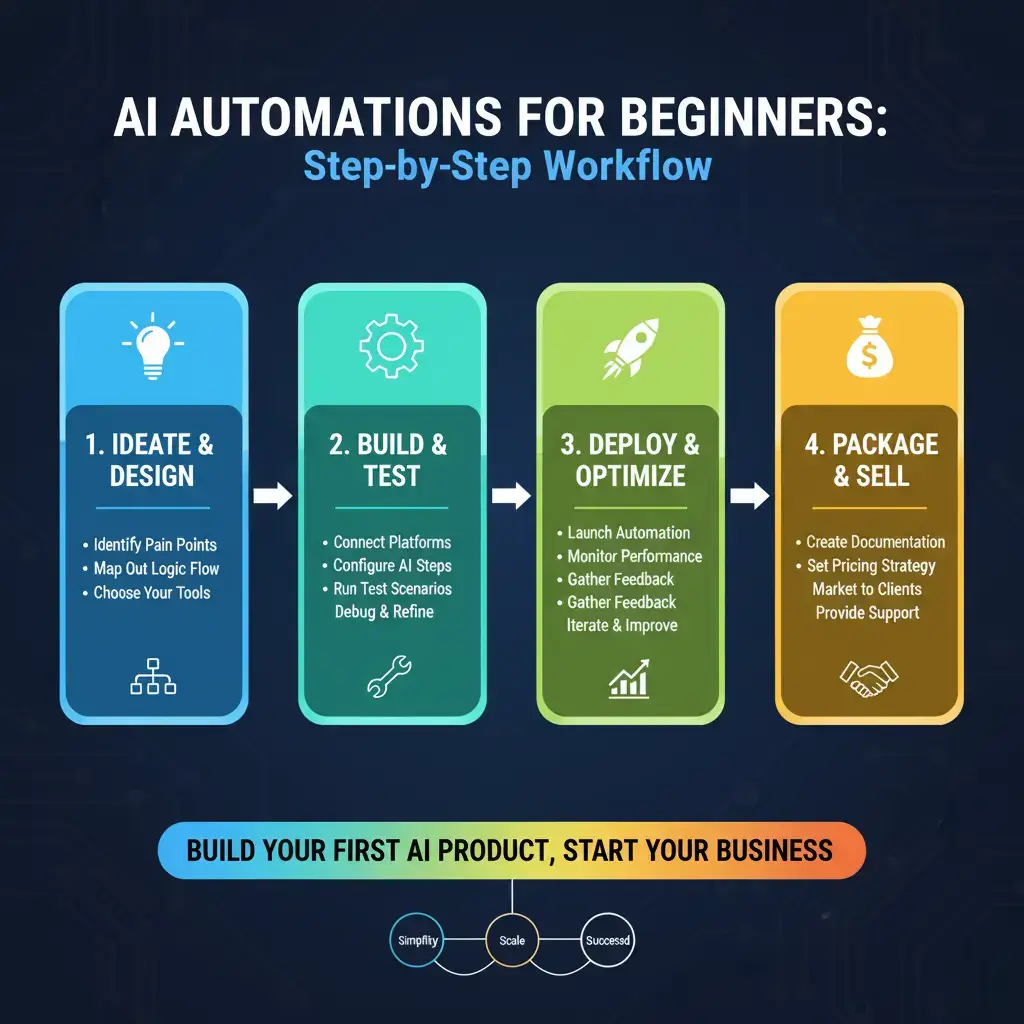
Let’s build something tangible. We will build a Social Media Content Summarizer & Poster, a useful and in-demand AI automation project that is ideal for beginners. Imagine a busy coach who finds a great long-form article but doesn’t have time to read it and post about it.
Step 1: The Trigger & AI Analysis
We’ll use Zapier for this example. The trigger is: “When a new article is saved to a specific Pocket (or Google Docs folder).” The first action uses an AI app like OpenAI or Bard. We send the article URL to the AI with a prompt: “Summarize this article into 3 key bullet points and suggest two engaging social media post captions.” The AI returns clean, structured text.
Step 2: Processing & Storage
The next step takes that AI-generated summary and saves it to a Google Sheets row or a Google Doc. This creates a content bank. This step is crucial for AI automations for beginners—always store the output somewhere reliable.
Step 3: The Social Media Post
Finally, we take one of the suggested captions and the original article link, and create a draft post in a tool like Buffer or directly in Facebook Creator Studio. The entire automation runs silently in the background. The client saves 30-45 minutes per article. You’ve just created tangible value.
From Builder to Seller: Packaging Your Solution
Building it is half the battle. Selling it is where you create an income stream. Your approach to AI automations for beginners needs to shift from technical to communicative.
Crafting Your Service or Product
You have two main paths:
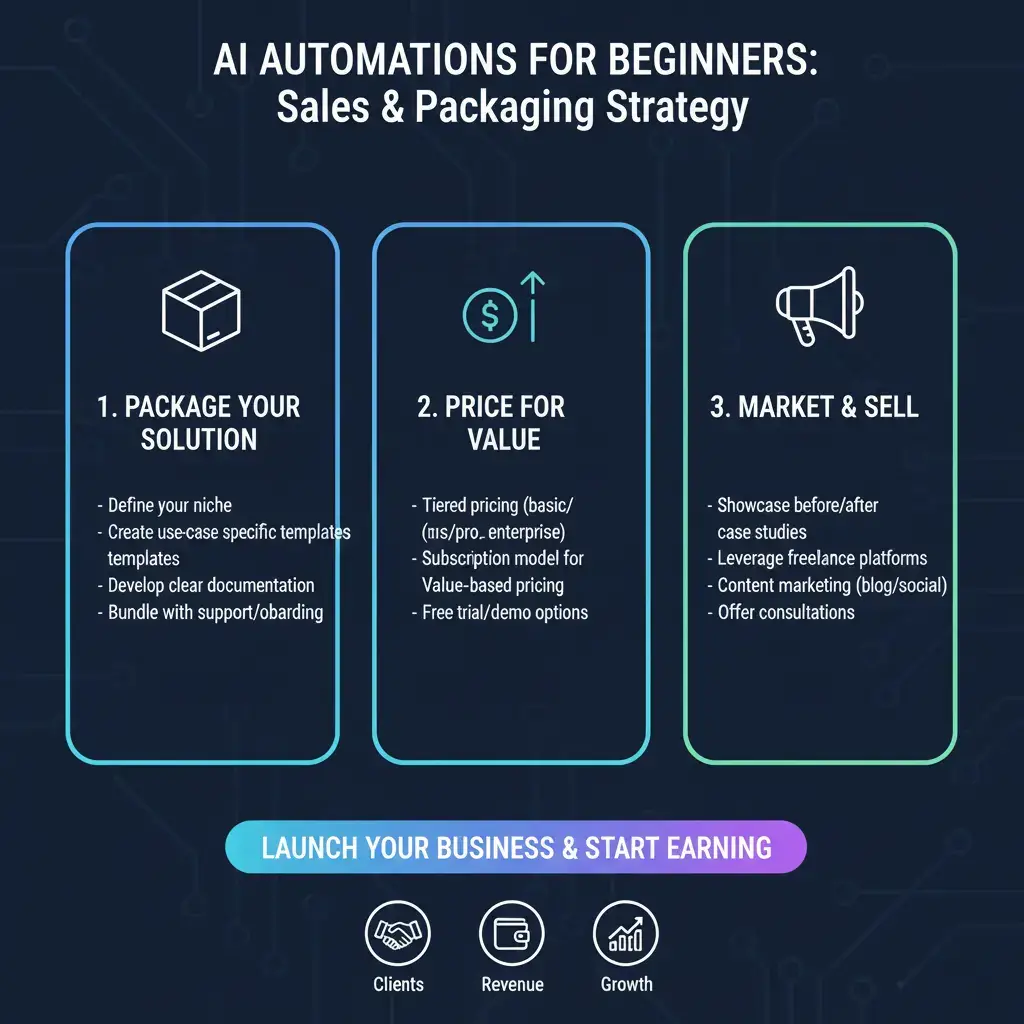
- Service-Based (Custom Builds): You work one-on-one with clients to solve their unique pain points. This is how most people start. You charge a project fee or a monthly retainer for maintenance and tweaks. According to experts at HubSpot, businesses prioritizing automation see significantly higher lead conversion rates, a powerful selling point.
- Product-Based (Template/Kit Sales): Once you’ve built an automation that solves a common problem (like our social media summarizer), you can package it as a template. You sell the blueprint, setup instructions, and support. This scales beautifully. Platforms like Gumroad are perfect for this.
Here’s a simple list of potential AI automations for beginners you can offer as services or products:
- Lead Qualification Bot: An AI automation for beginners that chats with website visitors and scores their interest.
- Content Repurposer: Automatically turns blog posts into Twitter threads, LinkedIn posts, and newsletter snippets.
- Customer Feedback Analyzer: Sends surveys, then uses AI to categorize sentiment and highlight urgent issues.
- Personalized Email Onboarding: Sends tailored, AI-crafted follow-up emails based on how a user interacts with your app.
I honestly wish I had learned this earlier: your first sale is often the hardest because you lack confidence, not skill. Your very basic automation will feel like magic to someone struggling with a manual process.
Marketing Your AI Automation Skills
Getting started doesn’t require a polished website or any money for ads. You need visibility where your ideal clients are already looking for help. A recent study by Forbes indicates that AI-driven efficiency is a top investment priority for SMBs in 2025, so the timing is perfect.
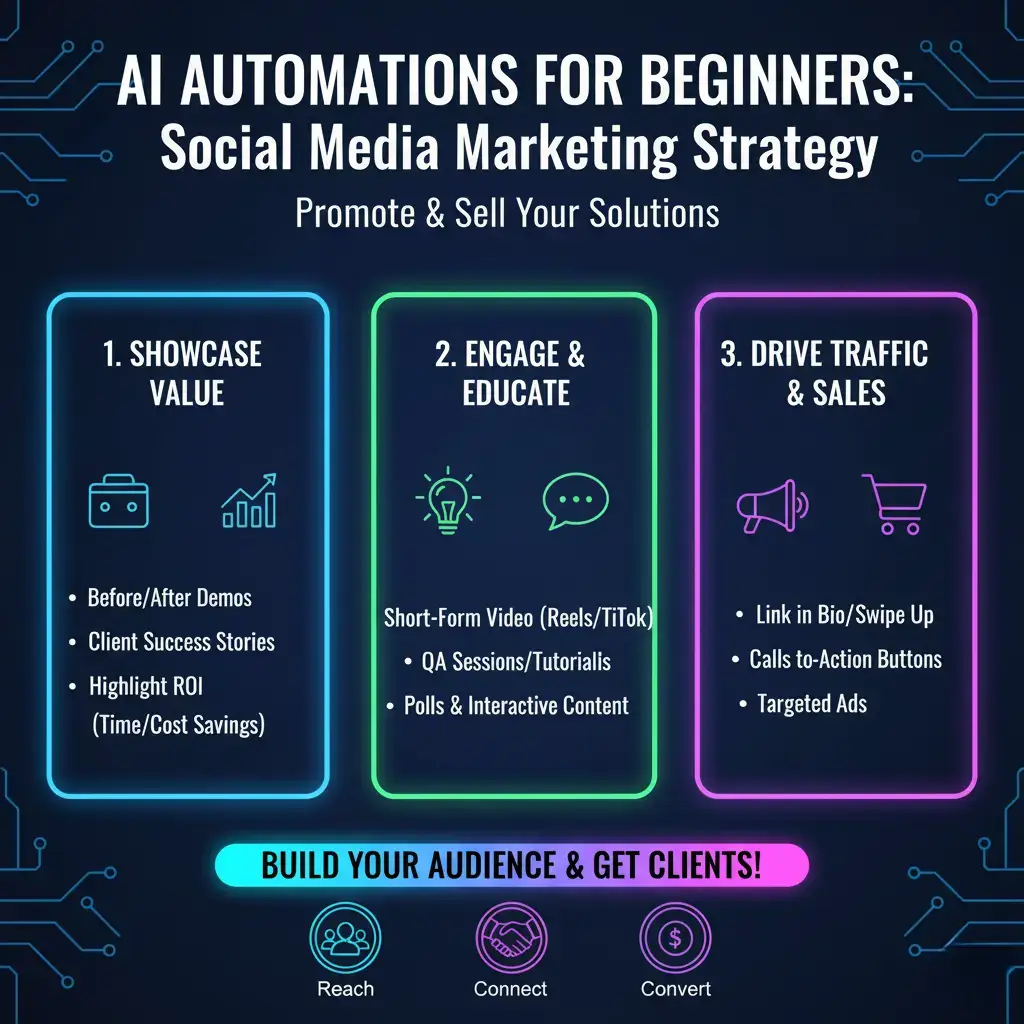
Content That Demonstrates Value
Don’t say “I build AI automations.” Show it. Record a 60-second Loom video showing “How I saved a bakery 10 hours a month on inventory tracking.” Post it in relevant Facebook groups or on LinkedIn. Share a case study of your first project (with permission). Talk about the outcome—more time, less stress, higher revenue—not the technical gears turning underneath. This content marketing strategy is one of the most effective ways to attract clients for AI automations for beginners.
What’s the one repetitive task in your own life or work that you wish would just… disappear? That’s probably your best first project to build your portfolio.
Pricing, Delivery, and Scaling
Undervaluing your work is the most common mistake in AI automations for beginners. You are selling a transformation.
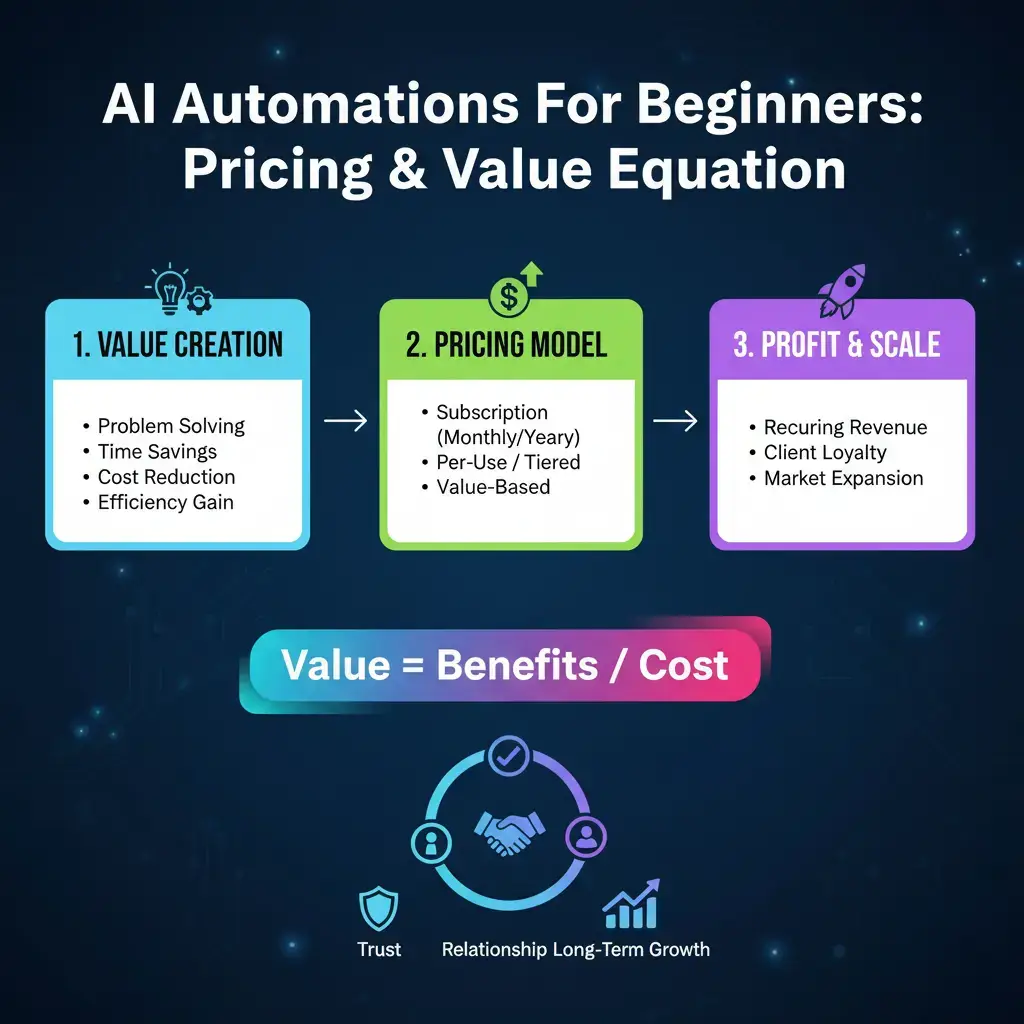
Creating a Simple Pricing Framework
- Project Fee: Estimate hours x your hourly rate. Start at $50-$75/hour as a beginner. A 5-hour project = $250-$375.
- Value-Based: If your automation saves a business owner 10 hours per month, and their time is worth $100/hour, you’ve created $1,000/month in value. Charging a one-time fee of $500-$800 is a bargain for them.
- Retainer Model: Charge a smaller build fee ($200) and a monthly maintenance/support fee ($50-$100). This creates recurring revenue.
Always deliver with clear documentation and a short video walkthrough. This professionalism leads to referrals. Check our detailed guide on “How to Price Your Digital Services” for a deeper dive into these models.
Conclusion: Your Automation-First Future Starts Now
The journey into AI automations for beginners is ultimately a journey into problem-solving and leverage. You are learning to see the world through a lens of efficiency, where every repetitive task is an opportunity. Start small, build one useful thing, and share it with one person who might benefit. The compound effect of this skill is astonishing. Before long, you’ll look back and see a portfolio of digital helpers you’ve built, income you’ve created, and time you’ve freed up—for both your clients and yourself.
What’s the first business or workflow you’re going to examine with your new automation eyes?
FAQs: AI Automations for Beginners
Q1: What exactly are AI automations for beginners?
A: AI automations for beginners are simple, pre-designed workflows that use artificial intelligence to handle repetitive digital tasks without requiring any programming knowledge. They typically connect everyday apps (like Gmail, Google Sheets, or social media) using intuitive, no-code platforms.
Q2: Do I need to know how to code to start?
A: Not at all! The entire point of modern AI automations for beginners is that they are built with visual, drag-and-drop tools like Zapier or Make. Your skill is in designing the solution logic, not writing the code.
Q3: What’s the best first project for AI automations for beginners?
A: Start with a personal pain point. Automating your own email sorting, social media scheduling, or data collection from forms is perfect. Solving your own problem gives you the real-world experience needed to build for others.
Q4: How long does it take to build a basic automation?
A: Many simple AI automations for beginners can be built and tested in under an hour. Your first project might take an afternoon as you learn the platform, but the process gets exponentially faster with practice.
Q5: How much can I charge for my first AI automation?
A: For your first few client projects, a flat fee of $200-$500 is a reasonable starting point for AI automations for beginners. This reflects the value of saving the client 5-10 hours of manual work per month, while being accessible as you build your portfolio.
Q6: Where is the best place to find my first clients?
A: Start within your existing network and online communities. Offer to solve a specific problem for a small business owner, freelancer, or content creator you already know. Local business Facebook groups and niche forums are also excellent places to find people asking for efficiency help.